Make the scene yours
Free-form AI RP with your own contexts, imported characters, group scenes and changing locations. Scenario presets include D&D-style adventures in different settings.
 Multiic
MULTIIC / AI ROLEPLAY GAME
Multiic is an AI roleplay game told as a visual novel. Bring a character card, gather a cast, shape the world — and watch the scene come alive with a place, a picture and a voice. You pick the AI behind it: local or cloud.
Free base game · Windows, macOS, Linux, Android
Download the game and connect a text model — that’s all you need to start. Add images and voice whenever you like.

AI roleplay (AI RP) is a story you tell together: you play your role, and a language model plays everyone else. What happens next depends on the characters, the recent conversation and the world around them. In Multiic, that conversation lives inside a game — with locations, a cast on screen and pictures of the scene.
A plain character chat is you and a reply. Multiic gives that exchange a stage: a place, a cast and everything happening around them.
You Character reply
A scene in Multiic
Your role, words and choices
Cards, history, summaries, scene state
Local LLM or cloud API
Character reply, narrator, visual scene
Plus, if you want: scene images · voice · video
Each part switches on separately. One text model is enough for a conversation.
Choose a Multiic character, make your own, or import a PNG/JSON card and drop it into a character slot.
A cloud API or a local GGUF model through KoboldCpp. A couple of lines about the world and your player, and you’re ready.
Open Sandbox, write an action, bring in a second character. The game decides who in the room speaks next.
Generate a picture of the scene, turn on voice. History, summaries and relationships carry the story forward.
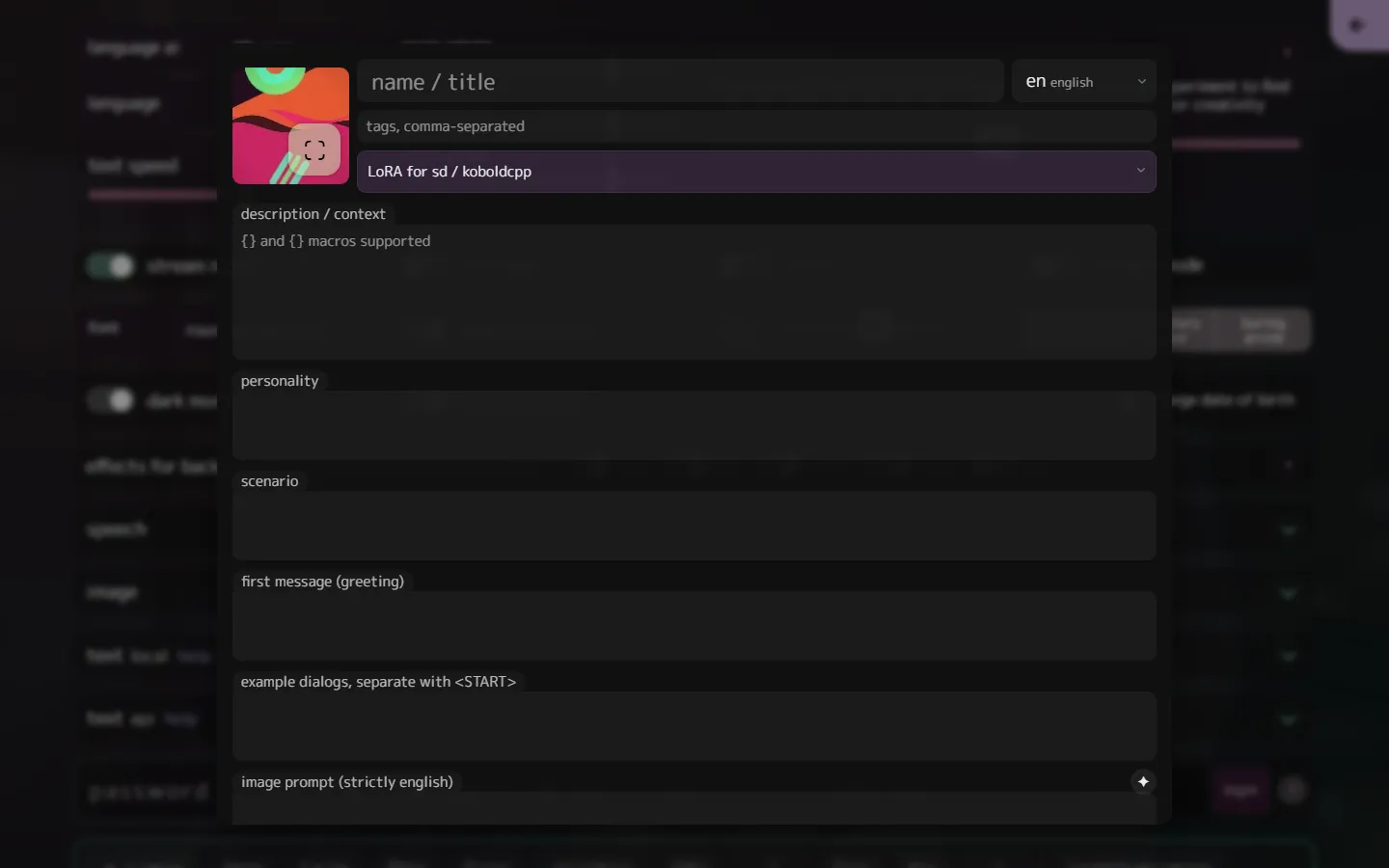
A good character needs more than a name. Multiic lets you edit a character’s whole context and import SillyTavern-style character cards in PNG or JSON — V1, V2 and V3.
Description, personality, scenario, example dialogue, greetings and instructions — together they become the role.
Assign cards to character slots. Your player context and the shared world rules live right next to them.
A card avatar plus a separate appearance prompt, so the image generator knows who to draw.
No need for a separate chat per character. Put up to three AI characters in one Sandbox scene with you — the game keeps track of who’s there and decides whose line it is.
Characters talk to each other, not just to you. Pick the “listening carefully” action and watch their conversation play out.
 Fiona
 Jo
 Laura
3 AI characters + you · one scene · a voice for each
Continuity in Multiic runs on several mechanisms at once, each with its own job.
Recent lines and saved summaries give every reply a history. Sandbox also keeps a short memo of the scene.
Editable world/instructions context sets the rules of your setting. In Story mode, locations and events bring their own authored context.
The game tracks relationship notes, trust, attraction and character tasks. Story and Sandbox keep separate progress.
Tip: keep important facts short. Every model has a finite context window, and summaries can drop small details.
Your characters aren’t locked to one provider. Swap the model; the roles, world and cards stay put.
The model runs on your computer, and Multiic manages the local backend for you. Pick a model size that fits your hardware.
Any compatible server, yours or remote: URL, model name and a key if it needs one.
OpenAI, Claude, Gemini, OpenRouter, Grok, Groq and Cohere. Each provider has its own prices and its own personality.
Character, player and world context are all editable; imported cards bring their own system and post-history instructions. Temperature and other generation settings tune the writing. To start, one model, one character and one scene are plenty.
The picture is built from what’s happening: the dialogue, the location, who’s in the scene and what they look like. Not a random portrait — the next frame of your story.

Run Stable Diffusion, KoboldCpp image generation or ComfyUI workflows locally, or use a cloud image provider. In first-person mode, you are the camera.
Set up image generation →Characters and the narrator speak out loud. Locally with Supertonic, Qwen3-TTS and Coqui XTTS-2, or with cloud voices.
The narrator describes what’s going on around the speakers. Visual-novel backgrounds and sprites sit alongside 2.5D/3D modules and VRM characters with lip-sync.
ComfyUI video workflows, including local Wan, turn a moment of the scene into a short clip. Bring a strong GPU.
Free-form AI RP with your own contexts, imported characters, group scenes and changing locations. Scenario presets include D&D-style adventures in different settings.
An authored visual-novel story with branching choices, neighbors, locations and AI conversations woven into its events. The city already has a past; you get to meet it.
Pick your platform on itch.io. Windows has a separate build with local components; on Android, connecting an API or your own server works best.
Choose a provider or local backend in settings — Help walks you through it. Trade a couple of lines to make sure it works.
Choose a character or import a card. Describe where you are and what you’re doing. Add images, voice and more characters later.
In the game: Settings → character contexts → create/import a card → assign to a character slot. Fill in personality, scenario and greeting before a long scene.
A story you tell together with an AI: you play your role, and the model writes the other characters’ replies based on who they are and what’s been said.
Yes. Local GGUF models through KoboldCpp, any OpenAI-compatible endpoint, or the built-in cloud APIs — your choice.
Yes. Download the models and use local backends for text, images and voice — only cloud APIs and remote servers need internet.
Yes. SillyTavern-style PNG/JSON cards (V1, V2, V3) can be imported, edited and assigned to character slots. Your own cards and contexts unlock with a supporter password.
Yes. A Sandbox scene holds up to three AI characters plus you. The game picks who speaks, and the “listening carefully” action lets the characters talk among themselves.
Yes. The prompt is built from the scene: location, cast and appearance. Run Stable Diffusion, KoboldCpp or ComfyUI locally, or use a cloud generator.
Yes. Characters and the narrator speak through local or cloud TTS engines.
The base game is. Your own cards and contexts, D&D scenarios and saved dialogue history unlock with a supporter password. Cloud providers charge for their APIs; local models run free on your own hardware.
Yes, plus macOS and Linux. The Windows build has the fullest set of local components; on Android, connecting an API or your own server works best.
Not for cloud APIs — the model runs on the provider’s side. Local models want a decent GPU or plenty of RAM, and you pick a model size that fits your hardware.
A strange city, an open scene, a model you chose. Start with a conversation; the rest builds around it.
Download MultiicFree base game · Windows, macOS, Linux, Android